
Essential Strategies for Securing Remote Workforce Access and Endpoints
Remote work has changed the way organizations think about access, devices, applications, and data. Employees may now work from homes, coworking spaces, client locations, hotels, and other environments that are outside the traditional corporate office. At the same time, business applications increasingly operate through cloud platforms rather than within a single company-controlled network.
That flexibility creates significant business value, but it also changes the responsibilities of IT and security teams. Protecting a remote workforce is no longer simply a matter of securing the office network. It requires continuous control over identities, devices, applications, data, and access decisions.
NIST’s guidance on enterprise telework emphasizes that remote-access environments include multiple components, including organization-managed devices, personally owned devices, remote-access technologies, and the policies governing their use. The modern approach goes further by combining strong identity controls, device management, secure configuration, continuous monitoring, and well-defined access policies.
The following strategies provide a practical framework for organizations that want to build a stronger remote workforce security program without making remote work unnecessarily difficult for employees.
Essential Strategies for Secure Remote Workforce
A secure remote-work environment begins with a simple principle: every remote user and every endpoint should be treated as part of the organization’s security environment, regardless of where the employee happens to be working.
An employee using a company laptop from a home office is still accessing corporate applications, customer information, financial systems, communication platforms, and potentially sensitive business records. The physical location has changed, but the value of those resources has not.
NIST’s telework guidance recommends considering the security of the complete remote-access environment rather than focusing on a single technology. That means organizations should evaluate the user, device, connection, application, authentication process, and information being accessed as connected parts of one security architecture.
Establish a complete inventory of remote endpoints
You cannot adequately protect devices that the organization does not know exist.
A strong endpoint program starts by maintaining an accurate inventory of company laptops, desktops, smartphones, tablets, virtual machines, servers, and other computing assets that can connect to business resources.
The inventory should identify.
- Device owner or assigned employee
- Device type and operating system
- Hardware and software versions
- Business purpose
- Management status
- Encryption status
- Security configuration
- Last check-in date
- Assigned department
- Whether the device is company-owned or personally owned
The Center for Internet Security places asset inventory at the beginning of its Critical Security Controls because organizations need visibility into their technology environment before they can manage it effectively.
Asset visibility is therefore not an administrative exercise; it is a foundational security control.
An organization should also identify devices that have stopped reporting to its management platform. A laptop that has not communicated with central management for several weeks should not simply remain classified as healthy. It may be unused, disconnected, replaced, or operating outside expected controls.
Make identity the foundation of remote access
Remote workers frequently access cloud applications directly rather than connecting to an internal office network first. This makes identity management increasingly important.
A modern access strategy should include centralized identity management, strong authentication, role-based permissions, and regular access reviews.
Multi-factor authentication is particularly important for remote access. CIS Control 6 specifically recommends MFA for externally exposed applications, remote network access, and administrative access.
The goal is not merely to require an additional authentication step. The larger objective is to establish confidence that the person requesting access is authorized to use the specific business resource being requested.
Organizations should also remove unnecessary accounts and review inactive accounts regularly. CIS recommends maintaining an account inventory and disabling dormant accounts after a defined period of inactivity where supported.
Keep endpoint configurations consistent
Remote devices should not be treated as ordinary consumer computers once they become part of the corporate environment.
Organizations should establish approved configurations for operating systems, browsers, productivity applications, encryption, screen locking, account privileges, network settings, and security controls.
Standardized configurations reduce variation between devices and make it easier for IT teams to identify deviations.
For example, if every managed laptop is expected to use full-disk encryption, automatic updates, a standard screen-lock period, and centrally managed security settings, the organization can establish measurable compliance requirements.
This approach also improves operational efficiency. Instead of troubleshooting hundreds of unique configurations, IT teams can work from a known baseline.
How to Secure Remote Workforce Access and Protect Business Endpoints

Remote access security works best when organizations stop viewing access and endpoint protection as separate projects.
A user may have a strong password, but if the endpoint is poorly configured, the overall security posture can still be weak. Likewise, a well-managed laptop provides limited protection if users have excessive permissions or if applications are accessible without appropriate authentication.
The most effective approach connects identity, device health, application access, and information sensitivity.
Apply least-privilege access across the workforce
Employees generally need access to the applications and information required for their responsibilities—not unrestricted access to every corporate resource.
A finance employee may require accounting applications and financial records. A sales representative may need customer relationship management systems. A marketing employee may require advertising platforms and content-management systems.
These differences should be reflected in access policies.
Role-based access control provides a practical method for achieving this. Access rights are assigned according to job responsibilities rather than individually creating permissions for every employee.
This also makes employee changes easier to manage. When someone moves from one department to another, the organization can review their role and adjust access accordingly.
Access should change when responsibilities change.
That principle becomes particularly important for remote employees because cloud services can make applications available from almost anywhere.
Strengthen authentication without creating unnecessary friction
Strong authentication should be easy enough that employees can use it consistently.
Organizations can combine.
- Multi-factor authentication
- Single sign-on
- Password managers
- Device-based authentication
- Security keys where appropriate
- Conditional access policies
- Session controls
- Risk-based authentication
Single sign-on can also reduce password fatigue by giving employees one controlled identity for approved applications.
However, centralization should be accompanied by strong administrative controls. If one identity becomes the gateway to numerous services, protecting that identity becomes especially important.
Administrative accounts deserve additional safeguards because they can affect configurations, user permissions, applications, and infrastructure.
Protect business information wherever employees work
Remote workers may use cloud storage, collaboration platforms, email, messaging applications, and local devices throughout the day.
Organizations should therefore define clear rules for where business information can be stored and shared.
Important controls.
- Data classification
- Access permissions
- Encryption
- Retention policies
- Controlled sharing
- Backup procedures
- Logging
- Secure disposal
- Mobile-device management
Employees should understand which information is appropriate for personal storage and which information must remain within approved corporate systems.
A written policy is useful, but practical enforcement is even more important. Where possible, organizational systems should make the secure choice the easiest choice.
Remote Workforce Security: Essential Strategies for Access and Endpoint Protection
Remote workforce security has become a continuous management responsibility rather than a one-time technology project.
The traditional corporate model assumed that employees worked from company facilities and connected through infrastructure managed by internal IT teams. Modern organizations may have employees spread across multiple cities and countries, using cloud applications and different types of devices.
NIST’s Zero Trust Architecture guidance reflects this shift. It explains that modern architecture should not automatically trust users or devices simply because they are connected from a particular network location. Instead, authentication and authorization should be evaluated before access to enterprise resources is established.
Move from location-based trust to resource-based access
A remote employee should not receive broad access simply because their device successfully connects to a corporate network.
A stronger approach asks several questions.
Who is requesting access?
What device are they using?
What resource are they requesting?
Is that access appropriate for their role?
Does the device meet organizational requirements?
What level of information is involved?
These questions create a more precise access model.
For example, an employee might be allowed to access a document management platform from a managed company laptop but receive restricted access when using an unmanaged personal device.
This type of policy does not necessarily prevent remote workforce. Instead, it allows organizations to provide different levels of access according to business circumstances.
Establish device-health requirements
Device posture can become part of access decisions.
An organization may require that a device.
- Be enrolled in centralized management
- Use supported operating-system versions
- Have current security updates
- Use encryption
- Maintain an approved security configuration
- Have screen-lock controls
- Report regularly to management systems
If the device falls outside those requirements, access can be restricted until the issue is resolved.
This creates a useful connection between endpoint management and identity management.
Monitor access patterns and endpoint status
Visibility matters because remote workforce environments generate large volumes of access activity.
Security and IT teams should establish appropriate logging.
- Authentication events
- Application access
- Privilege changes
- Device enrollment
- Configuration changes
- Administrative activity
- Unusual access locations
- Repeated authentication failures
- Data-access events
Monitoring should have a clear purpose. Organizations do not need to collect every possible event simply because it can be collected.
The most valuable monitoring programs focus on events that can help identify policy violations, account problems, configuration issues, or unusual activity early.
Best Practices for Securing Remote Access and Enterprise Endpoints
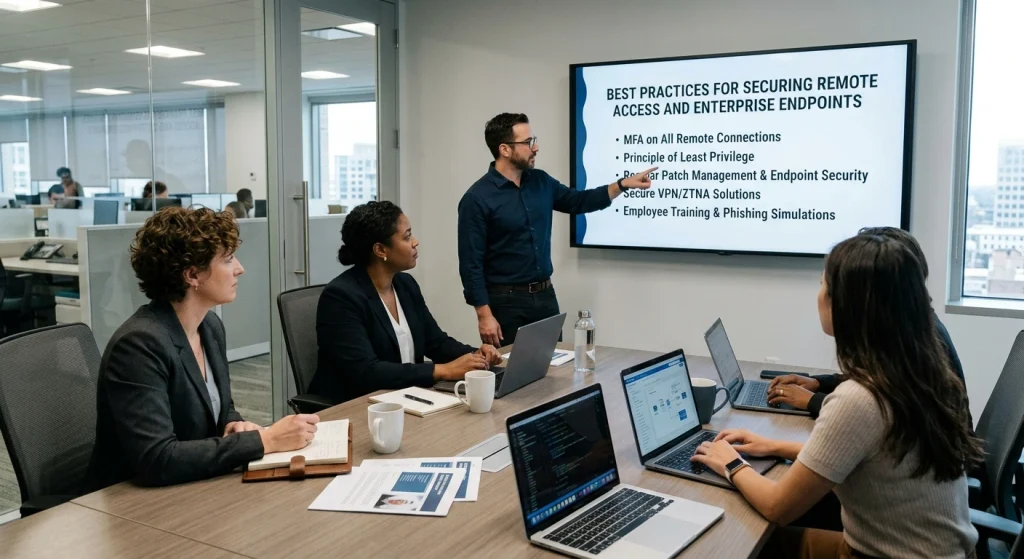
Enterprise remote workforce access should be designed around consistency.
Employees should know which applications to use, which devices are approved, which authentication methods are required, and where business information should be stored.
IT teams should likewise know which devices exist, who owns them, what software they run, and whether they meet organizational requirements.
Build a formal endpoint security baseline
A baseline provides a minimum acceptable configuration for business devices.
A practical baseline may include.
- Supported operating systems
- Automatic security updates
- Full-disk encryption
- Screen-lock requirements
- Standard user permissions
- Centrally managed applications
- Browser security settings
- Device inventory
- Central logging
- Regular compliance checks
The exact requirements will vary by organization, industry, regulatory obligations, and device type.
The important principle is consistency.
A baseline should also be reviewed periodically. Technology changes rapidly, and a configuration that was reasonable several years ago may no longer meet current business requirements.
Manage software deliberately
Organizations should maintain a record of approved software used on business endpoints.
CIS recommends maintaining a detailed software inventory and ensuring that authorized software remains supported.
This is particularly important for remote workers because employees may install applications to solve productivity problems without consulting IT.
A better approach is to provide employees with an approved catalog of business applications and a simple process for requesting additional software.
This balances employee productivity with organizational control.
Separate personal and business use
Bring Your Own Device programs can reduce hardware costs and provide flexibility, but they require clear boundaries.
A BYOD policy should explain.
- Which applications can be accessed
- What information can be stored locally
- Whether device management is required
- What happens when employment ends
- How corporate information is removed
- Which operating systems are supported
- What privacy employees can expect
The policy should be transparent.
Employees are more likely to accept device-management requirements when they understand exactly what the organization can and cannot see.
A Complete Guide to Remote Workforce Access and Endpoint Security
A complete remote workforce security program should be viewed as a lifecycle.
It begins before an employee receives access and continues throughout employment until the employee leaves the organization.
Stage one: onboarding
During onboarding, IT should establish the employee’s identity, role, device assignment, application requirements, and access permissions.
Access should be based on the employee’s responsibilities rather than simply copying another employee’s permissions.
Automated provisioning can reduce administrative mistakes and accelerate employee onboarding.
Stage two: daily operations
During normal work, organizations should maintain.
- Device management
- Authentication controls
- Software updates
- Configuration monitoring
- Access reviews
- Data protection
- Employee support
- Security awareness
The objective is to maintain a stable security posture without disrupting legitimate work.
Stage three: role changes
Employees frequently change departments, responsibilities, projects, or management structures.
Those changes should trigger an access review.
A person who moves from sales to finance, for example, may no longer require access to some sales systems but may require new financial applications.
Role changes are therefore security events as well as HR events.
Stage four: employee departure
Access should be revoked promptly when employment ends.
CIS specifically recommends establishing formal access-revocation processes and disabling accounts when employment or authorization ends.
The organization should also recover corporate devices, revoke application sessions where appropriate, transfer business information, and confirm that access has been removed.
This lifecycle approach is more reliable than relying on employees or individual administrators to remember every access point manually.
Effective Strategies for Remote Access Security and Endpoint Protection
Effective remote workforce access security is ultimately about reducing unnecessary exposure while maintaining employee productivity.
The best programs do not attempt to make remote work difficult. Instead, they create predictable security requirements and automate as much of the routine administration as possible.
Use centralized management
Centralized management gives IT teams a consistent way to administer remote devices.
Modern endpoint management platforms can help organizations.
- Enroll devices
- Apply configuration policies
- Deploy approved applications
- Monitor compliance
- Enforce encryption
- Manage updates
- Lock or retire lost devices
- Review device status
Centralization becomes especially valuable as organizations grow.
A company managing 25 laptops may handle configuration manually. A company managing 2,500 laptops cannot depend on the same approach.
Prioritize patch and update management
Software updates are a fundamental part of endpoint protection.
The 2025 Verizon Data Breach Investigations Report analyzed more than 22,000 security incidents and 12,195 confirmed data breaches. It reported a 34% increase in vulnerability exploitation compared with the previous reporting period, reinforcing the importance of timely vulnerability remediation.
The lesson for remote workforce management is straightforward: organizations need a reliable process for identifying outdated systems and applying appropriate updates.
Patch management should.
- Operating systems
- Browsers
- Business applications
- VPN or remote-access infrastructure
- Edge devices
- Cloud-connected components
- Network equipment
Organizations should prioritize updates according to business risk rather than simply applying every update in an identical order.
Make recovery part of endpoint planning
Endpoint protection should include recovery.
Employees may lose laptops, experience hardware failures, or accidentally delete important information.
Organizations should establish.
- Backup policies
- Recovery procedures
- Device replacement processes
- Secure data restoration
- Business continuity plans
- Employee reporting procedures
A strong recovery process reduces downtime and gives employees a clear path when a device problem occurs.
How Businesses Can Secure Remote Workforce Access and Endpoints
Businesses of every size can improve remote workforce security by concentrating on fundamentals before investing in complex architecture.
The most important controls are often organizational rather than technological.
Create a remote-work security policy employees can actually follow
A policy should explain what employees are expected to do without becoming a document that nobody reads.
A practical policy can cover.
- Approved devices
- Authentication requirements
- Business application usage
- Home-network expectations
- Public-network considerations
- Data storage
- Device reporting
- Software installation
- Access sharing
- Lost-device procedures
- Employee responsibilities
Use plain language.
Employees should understand not only what is required but why the requirement exists.
For example, instead of saying that employees must use company-approved cloud storage, explain that approved storage provides controlled access, centralized retention, and organizational recovery capabilities.
Train employees around real work situations
Security awareness is more effective when it relates directly to daily activities.
Training can address.
- Safe account practices
- Recognizing unusual account activity
- Protecting devices in shared environments
- Secure document handling
- Appropriate use of public networks
- Reporting lost equipment
- Verifying unusual requests
- Using company-approved applications
Short, recurring education is often more practical than one long annual presentation.
Measure security performance
Businesses should establish measurable indicators.
Useful metrics.
- Percentage of managed endpoints
- Percentage using current operating systems
- MFA coverage
- Number of inactive accounts
- Average time to apply critical updates
- Number of devices outside policy
- Percentage of applications under centralized management
- Access-review completion rate
- Number of unapproved applications
- Device enrollment coverage
Metrics turn remote workforce security from a general objective into something leadership can evaluate.
Remote Workforce Cybersecurity: Protecting Access, Devices, and Endpoints
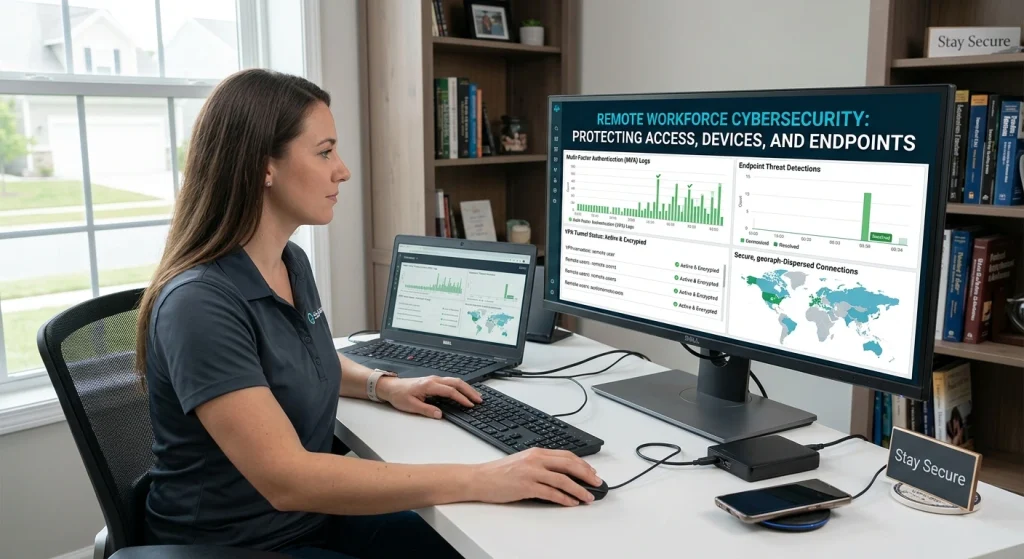
The phrase “remote workforce cybersecurity” covers several connected areas.
There is identity security, endpoint management, application security, data governance, network protection, employee education, vendor management, and compliance.
Treating these areas independently can create gaps.
For example, an organization may have excellent device management but weak identity governance. Another company may have strong identity controls but allow employees to store sensitive information on unmanaged devices.
A mature remote security program connects these controls into one operating model.
Protect the identity layer
Identity should be considered a core business asset.
Organizations should maintain.
- Centralized identity directories
- MFA
- Role-based access
- Privileged account controls
- Access reviews
- Account lifecycle management
- Strong authentication policies
CIS recommends centralizing access control through directory services or SSO providers where supported.
Centralization provides another advantage: organizations can more easily review who has access to what.
Protect the endpoint layer
The endpoint is where users interact directly with business systems.
Endpoint management should cover the full device lifecycle.
Procure → configure → enroll → monitor → update → support → retire
Each stage matters.
A newly purchased laptop should be configured before sensitive business work begins. During its operational life, it should remain under management. At retirement, business information should be handled according to organizational policy.
Consider endpoint diversity
Remote organizations may have Windows, macOS, Linux, Android, and iOS devices.
They may also have contractors using their own systems.
A strong policy should define which device types are supported and what minimum requirements apply to each category.
This is particularly important for BYOD programs because personal devices can have different operating systems, update schedules, and privacy expectations.
Enterprise Strategies for Secure Remote Workforce Access and Endpoint Management
Large organizations face an additional challenge: scale.
An enterprise may have thousands of employees, multiple business units, contractors, subsidiaries, cloud environments, and geographically distributed teams.
At that scale, manual access management becomes increasingly difficult.
Standardize identity and endpoint governance
Enterprise organizations should define common policies across business units where practical.
A centralized framework can establish.
- Authentication standards
- Endpoint requirements
- Application approval
- Access-review schedules
- Data classifications
- Logging requirements
- Vendor expectations
- Device lifecycle processes
Individual departments can then add requirements based on their particular responsibilities.
This creates a balance between centralized governance and business flexibility.
Manage third-party access carefully
Remote workforce frequently involves external consultants, contractors, suppliers, and service providers.
Third-party accounts should have clearly defined owners, purposes, expiration dates, and access scopes.
The 2025 Verizon DBIR reported that third-party involvement was present in 30% of analyzed breaches, approximately double the previous year’s figure.
That finding reinforces an important enterprise principle: an organization’s security posture depends partly on the external relationships through which business information and systems are accessed.
Organizations should therefore maintain an inventory of service providers and establish procedures for reviewing their security responsibilities.
Use zero trust principles thoughtfully
Zero Trust does not mean simply buying a particular product.
NIST describes Zero Trust Architecture as an approach that moves away from implicit trust based on network location and instead focuses on users, assets, and resources.
For enterprise remote workforce, this means access decisions can consider identity, device status, application sensitivity, and context.
The practical goal is straightforward.
Give the right person the right level of access to the right resource at the right time.
That principle is much more useful than treating Zero Trust as a marketing label.
Strengthening Remote Workforce Security With Secure Access and Endpoint Protection

A strong remote workforce strategy is not finished when MFA is enabled or laptops are enrolled in management.
Security should continuously improve as the business changes.
New applications are introduced. Employees change roles. Devices reach the end of their useful life. Cloud environments expand. Regulations evolve. Suppliers change. Business priorities shift.
That means remote workforce security should operate as an ongoing improvement cycle.
Review access regularly
Access reviews should confirm that employees still require the permissions assigned to them.
A useful review asks.
- Does the employee still hold the same role?
- Does the application still support their responsibilities?
- Is the permission level appropriate?
- Has the account remained active?
- Does the employee use the application?
- Is the device still managed?
- Does the access comply with company policy?
The goal is not to remove access simply for the sake of reducing numbers. The goal is to ensure that access remains justified.
Build security into the employee experience
Security requirements are more successful when they fit naturally into everyday work.
For example, employees should not have to remember dozens of separate passwords when SSO can simplify access. They should not need to manually configure every endpoint setting when centralized management can handle approved configurations.
Automation can therefore improve both security and productivity.
Good security should reduce uncertainty, not create unnecessary complexity.
Establish an executive-level remote security program
Remote workforce security should not remain solely an IT responsibility.
Business leadership should understand.
- The number of remote workforce users
- The number of managed endpoints
- Major access risks
- Critical applications
- Third-party dependencies
- Compliance requirements
- Recovery capabilities
- Security performance metrics
Leadership support is essential because security decisions often involve budgets, staffing, technology choices, employee policies, and business processes.
A Practical Remote Workforce Security Framework
Organizations looking for a straightforward implementation roadmap can organize their program around eight priorities.
1. Know every endpoint
Maintain an accurate inventory of devices that can access business resources.
2. Know every important account
Maintain an account inventory and review active permissions regularly.
3. Strengthen authentication
Use MFA, centralized identity, SSO, and appropriate administrative controls.
4. Standardize endpoint configurations
Create approved baselines for operating systems, encryption, applications, updates, and user permissions.
5. Control application access
Use role-based access so employees receive the resources required for their responsibilities.
6. Protect business information
Apply appropriate controls to storage, sharing, retention, backup, and access.
7. Monitor compliance
Track whether devices, accounts, and applications continue to meet organizational requirements.
8. Review and improve
Use measurable results to identify gaps and continuously improve the program.
This framework is intentionally technology-neutral. The right architecture will differ between a small business, a healthcare organization, a financial institution, a software company, and a multinational enterprise.
Why Remote Endpoint Security Should Be a Business Priority
Remote workforce endpoint security is not simply an IT concern. It directly affects productivity, compliance, customer trust, operational continuity, and financial performance.
IBM’s 2025 Cost of a Data Breach research reported a global average breach cost of $4.4 million, although costs vary substantially by organization, geography, industry, and incident characteristics.
The financial impact is only one part of the equation.
Organizations may also experience operational disruption, investigation costs, regulatory obligations, customer concerns, employee downtime, and reputational consequences.
This is why preventive controls such as asset inventory, strong authentication, endpoint management, access governance, and timely updates should be considered business-enablement measures rather than technical overhead.
A well-designed remote workforce security program helps employees work confidently from different locations while giving the organization greater visibility and control.
Final Thoughts
Remote Workforce is now an established part of the modern business environment. Organizations cannot rely on office-based network boundaries to provide the level of control they once did.
Start with the fundamentals: know which devices exist, know which accounts are active, enforce strong authentication, maintain secure endpoint configurations, keep systems updated, control access according to job responsibilities, and review permissions regularly.
From there, organizations can introduce more mature approaches such as Zero Trust Architecture, centralized endpoint management, conditional access, advanced monitoring, and automated lifecycle management.
The most successful programs are rarely defined by the number of technologies they deploy. They are defined by how consistently those technologies support clear policies and business requirements.
Secure remote work is ultimately about creating a trusted operating environment without requiring employees to be in a particular physical location. When identity, endpoint health, access permissions, data governance, and employee practices work together, organizations can support a flexible workforce while maintaining strong security and operational control.